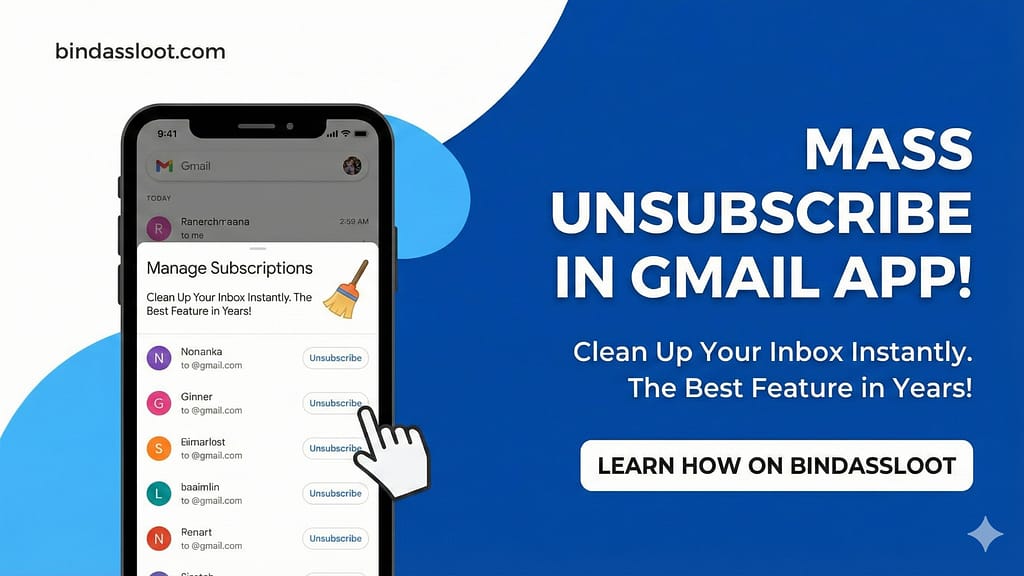
Hey Looters, have you heard the buzz? Get ready to say a big, fat goodbye to all those pesky, unwanted emails cluttering your Gmail inbox! Google has finally rolled out a feature we’ve all been dreaming of – the **Gmail Mass Unsubscribe** option, directly integrated into your Gmail app. This isn’t just an update; it’s a revolution for anyone tired of endless promotional emails, newsletters they never read, and spam that just won’t quit. This new functionality is a game-changer, making inbox clean-up not just easy, but actually enjoyable!
For years, managing email subscriptions has felt like a never-ending chore, forcing us to open individual emails, scroll to the bottom, and click tiny ‘unsubscribe’ links. Sometimes, those links don’t even work! But those days are officially over. With this fantastic new addition, managing your subscriptions and regaining control over your digital communication is now a matter of a few taps. It’s a huge relief for anyone whose inbox felt more like a digital landfill than a communication hub. Trust us, once you try this, you’ll wonder how you ever lived without it!
Say Goodbye to Clutter with Gmail Mass Unsubscribe!
This new feature is, hands down, one of the best quality-of-life updates Gmail has delivered in a long time. It addresses a core pain point for millions of users worldwide, especially here in India where our inboxes are often flooded with daily deals, service notifications, and a plethora of digital marketing. The ability to **Gmail Mass Unsubscribe** from multiple senders at once is a monumental step towards achieving that elusive ‘Inbox Zero’ status. Imagine opening your Gmail app and seeing only the emails that truly matter – no more endlessly scrolling past irrelevant junk!
Think about the time you’ll save, the mental clutter you’ll reduce, and the pure joy of a streamlined inbox. Less distraction means better focus, whether you’re working, studying, or just enjoying some quiet time. This feature empowers you to curate your inbox experience, ensuring that only the content you actively want to receive makes it through. It’s like having a personal assistant who sifts through all the junk mail before it even reaches your desk.
Why This Feature is a Game-Changer for Your Inbox
The impact of this feature goes beyond just convenience. A cluttered inbox can cause stress, lead to missed important emails, and even affect productivity. By offering a straightforward way to manage and unsubscribe, Gmail is giving users a powerful tool to take back control. No more hidden unsubscribe links or wondering if you’re unsubscribing from a legitimate source. The system is designed to be clear, efficient, and user-friendly, making the process of cleaning up your digital life bindass (carefree)! It’s not just about unsubscribing; it’s about reclaiming your digital peace of mind.
Step-by-Step Guide: How to Use Gmail Mass Unsubscribe
Using this incredible new feature is super easy, almost like magic! Google has designed it to be intuitive, ensuring that anyone can clean up their inbox without needing to be a tech guru. Here’s a simple, step-by-step guide to get you started and make the most of the **Gmail Mass Unsubscribe** functionality:
- Open Your Gmail App: First things first, make sure you have the latest version of the Gmail app installed on your smartphone. Updates often bring new features, so a quick check on the Play Store or App Store might be needed.
- Navigate to the Side Menu: Once in the app, look for the ‘hamburger’ icon (three horizontal lines) usually located in the top-left corner. Tap this to open the side menu.
- Find ‘Manage Subscriptions’: Scroll down the side menu, and you’ll find a brand-new option called ‘Manage Subscriptions’. This is your gateway to an organized inbox! Tap on it.
- View the Sender List: Gmail will now present you with a list of senders you are subscribed to, often categorized by how frequently they send you emails or by recent activity. This makes it easy to spot the notorious spammers.
- Tap the Unsubscribe Icon: Next to each sender’s name, you’ll see a clear ‘Unsubscribe’ icon (often a ‘🚫’ symbol or a similar easily identifiable button). Simply tap on this icon for any sender you wish to stop receiving emails from. It’s as simple as that!
Boom! Just like that, unwanted emails from those chosen senders are gone forever from your future inbox. No more endless streams of promotions you don’t care about, no more newsletters gathering dust in your primary tab. This is a truly ‘mast’ (awesome) feature that will save you so much hassle.
This smart addition helps you regain control over your inbox, making sure you only see what you want to see. The convenience of being able to handle this directly within the app, without visiting external websites or digging through settings, is truly unmatched. Regularly using the **Gmail Mass Unsubscribe** feature can significantly improve your email experience.
Also Read: ChatGPT Go: Free for 12 Months – Activate Now!
This update is a clear win for user experience, making Gmail even more powerful and user-friendly. Don’t let your inbox turn into a digital dumping ground. Take advantage of this fantastic new functionality and experience the joy of a truly clean and organized email space. Whether you’re managing personal emails or juggling work-related communications, a clutter-free inbox can boost your efficiency and reduce stress. Make it a habit to use the **Gmail Mass Unsubscribe** periodically to keep things tidy.
Also Read: Mastering Gmail Filters for a Super Clean Inbox
So what are you waiting for? Dive into your Gmail app right now, give this ‘bahut hi badhiya’ (very good) feature a spin, and reclaim your inbox from the clutches of unwanted subscriptions. Happy unsubscribing, Looters!